The Rev360 Portal is the Nigeria Revenue Service (NRS) online platform for taxpayers to manage tax-related services such as account registration, tax filing, payments, Tax Clearance Certificates, assessments, refunds, and taxpayer information. It is designed for individuals, businesses, and other taxpayers who need to manage their federal tax obligations online.
The official Rev360 taxpayer portal is:
https://selfservice.nrs.gov.ng/
Existing taxpayers can login with the appropriate credentials, while new taxpayers can create an account through the registration option provided on the portal.
What Is the Rev360 Portal?
Rev360 is the Nigeria Revenue Service taxpayer self-service portal.
It provides one online account where taxpayers can access services including:
- Tax filing
- Tax payments
- Tax Clearance Certificates
- Assessments
- Refund requests
- Tax wallet information
- Profile management
- E-invoicing services
The portal currently connects users to the NRS Single Sign-On (SSO) system for secure account access.
If you previously used TaxPro Max, pay attention to the migration and login options shown on Rev360 instead of creating another taxpayer account immediately.
What Is the Official Rev360 Portal?
The official Rev360 portal is:
Rev360 Taxpayer Portal:
https://selfservice.nrs.gov.ng/
The official NRS login system is also available through:
NRS Login:
https://auth.nrs.gov.ng/
The Rev360 self-service page redirects registered users to the NRS Single Sign-On service when they choose the login option.
Always check that the website uses the nrs.gov.ng domain before entering your taxpayer information or password.
How Do I Login to the Rev360 Portal?
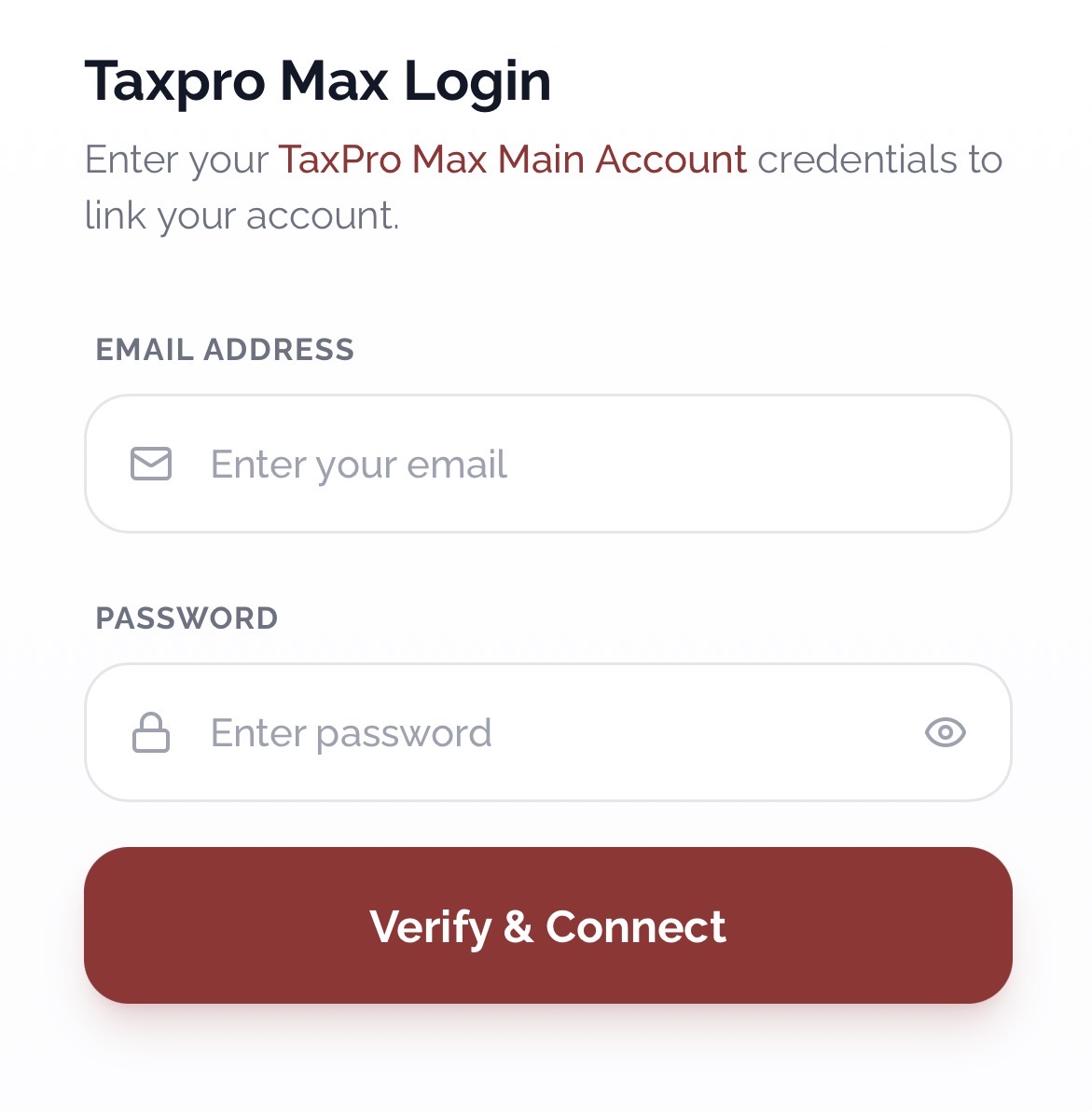
If you already have Rev360 credentials, follow these steps:
- Visit https://selfservice.nrs.gov.ng/
- Select the login option.
- Continue to the NRS SSO page when redirected.
- Enter your registered email address.
- Enter your password.
- Click Sign In.
- Wait for your taxpayer dashboard to open.
The current NRS SSO login page requests an email address and password.
Once logged in, the services displayed on your dashboard will depend on your taxpayer profile and available tax obligations.
How Do Existing TaxPro Max Users Login to Rev360?
Taxpayers who previously used TaxPro Max should not automatically create a completely new taxpayer account.
The Rev360 portal currently provides a specific option for first-time Rev360 users who already have TaxPro Max credentials.
To start:
- Open the Rev360 portal.
- Locate the section for first-time Rev360 users.
- Choose the option to login with your existing TaxPro Max credentials.
- Enter the required information.
- Follow the instructions displayed on the portal.
- Complete any account update or credential setup requested.
If your existing taxpayer information has been transferred to the new system, using the migration route can help you avoid creating duplicate records.
What If I Forgot My TaxPro Max Credentials?
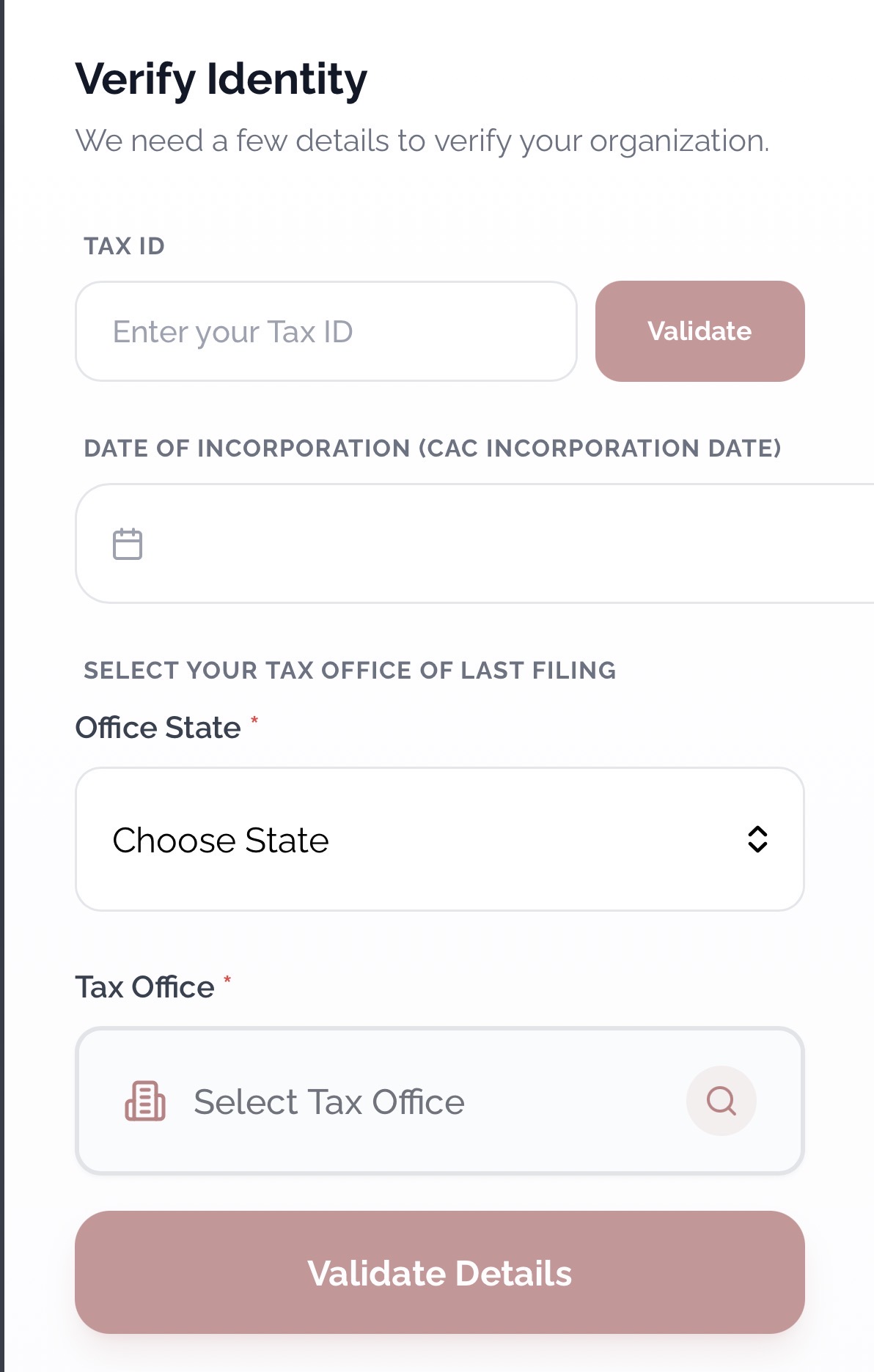
Rev360 provides a separate route for taxpayers who already had TaxPro Max accounts but can no longer remember their old login information.
On the portal, look for the option to Create Rev360 Credentials when you have forgotten your TaxPro Max credentials.
This is different from registering as a completely new taxpayer.
Use this option if:
- You previously had a TaxPro Max account.
- You already have an existing taxpayer record.
- You cannot remember the old TaxPro Max password or login details.
- You need to establish Rev360 credentials for the existing account.
Do not create another taxpayer identity simply because you have forgotten your login details.
How Do I Register on the Rev360 Portal?
New taxpayers can create an account through the Create New Account option on the official self-service portal.
To register:
- Visit https://selfservice.nrs.gov.ng/
- Select Create New Account.
- Choose the appropriate taxpayer registration option.
- Enter the information requested.
- Provide an active email address.
- Complete the required verification.
- Review your information.
- Submit the registration.
- Keep your registration details safe.
The exact information requested can depend on whether you are registering as an individual, business, or another taxpayer category.
Use details that match your official records.
How Do I Continue an Incomplete Rev360 Registration?
You do not necessarily have to start again if you previously began registration but could not finish it.
The NRS provides a process for continuing a suspended Rev360 registration.
When a registration is suspended, a Registration ID is sent to the email address used during registration. You can use this ID to continue from where you stopped.
See The NRS Support
To continue:
- Return to https://selfservice.nrs.gov.ng/
- Look for Want to Continue Registration?
- Check your registered email for the Registration ID.
- Enter or paste the Registration ID.
- Select Continue.
- Complete the remaining registration sections.
If you cannot find the message, check your email Spam or Junk folder.
Keep the Registration ID private because it is connected to your taxpayer registration.
How Do I Login If I Already Have Rev360 Credentials?
If you have already created your Rev360 login details, there is no need to use the TaxPro Max migration option again.
Simply:
- Open the Rev360 portal.
- Choose Login with Rev360 Credentials or the available sign-in option.
- Continue to NRS SSO.
- Enter your registered email.
- Enter your password.
- Sign in.
The portal specifically separates users with existing Rev360 credentials from first-time users coming from TaxPro Max.
Choose the option that matches your account status.
What Can I Do on the Rev360 Dashboard?
Once logged in, taxpayers can access several self-service functions from the dashboard.
The official platform currently lists services such as:
- My Profile: Manage taxpayer details.
- Self Tax Filing: File applicable returns.
- Payments: Manage tax payments.
- Tax Clearance: Access Tax Clearance Certificate services.
- Tax Wallet: View relevant balances.
- Refunds: Track refund requests.
- Assessments: View tax assessments and compliance information.
- E-Invoicing: Access available electronic invoicing services.
These options are part of the NRS taxpayer self-service platform.
Some services may only appear when they apply to your taxpayer account.
How Do I File Tax Returns on the Rev360 Portal?
Tax returns can be filed through the self-service system where the appropriate filing service has been enabled for your account.
The general process is:
- Login to Rev360.
- Open the Self Tax Filing or applicable returns section.
- Select the relevant tax obligation.
- Choose the required filing period.
- Enter the requested information.
- Upload supporting documents where required.
- Review the information carefully.
- Submit the return.
- Save the acknowledgement or reference generated by the system.
Do not submit estimated or incorrect figures simply to complete the process.
Businesses should ensure that figures entered on Rev360 agree with their accounting and supporting records.
If you are unsure about the tax treatment of a transaction, seek appropriate professional guidance before submitting the return.
How Do I Make Payment on Rev360?
Rev360 includes a Payments section for managing tax payments.
To make a payment:
- Login to your taxpayer account.
- Open the payment section.
- Select the relevant tax liability or payment item.
- Confirm the amount shown.
- Follow the payment instructions provided on the portal.
- Complete the transaction using an available payment method.
- Return to your dashboard.
- Confirm that the transaction has been recorded.
- Save your payment receipt or reference.
Always initiate payments from the official taxpayer portal or an NRS-approved payment process.
Do not send tax payments to a personal account belonging to someone claiming to be an NRS officer or agent.
What Should I Do If My Rev360 Payment Is Not Showing?
If you have completed a payment but it is not reflected on your dashboard, do not immediately make another payment.
First:
- Confirm that your bank or payment channel processed the transaction.
- Check the payment reference.
- Save the debit alert or receipt.
- Logout and login again.
- Check the payment or transaction section.
- Allow time for the transaction to update where necessary.
If the transaction remains missing, use the official NRS support channel and provide the payment reference when requested.
Avoid posting receipts containing sensitive taxpayer information publicly on social media.
How Do I Get a Tax Clearance Certificate on Rev360?
The Rev360 portal includes a Tax Clearance service for taxpayers.
Where your account is eligible:
- Login to Rev360.
- Open the Tax Clearance section.
- Review your tax compliance information.
- Complete any required steps.
- Submit the request where necessary.
- Check the dashboard for the status.
- Download the Tax Clearance Certificate when it becomes available.
If the system shows outstanding obligations, you may need to address them before the certificate can be issued.
A Tax Clearance Certificate should be obtained through the official system rather than purchased from an individual.
How Do I Reset My Rev360 Password?
The NRS Single Sign-On page provides a Forgot password? option. you cannot remember your password:
- Go to the NRS login page.
- Select Forgot password?
- Enter the account information requested.
- Follow the verification instructions.
- Check your registered email where required.
- Set a new password.
- Return to the login page.
- Login with the new password.
Use a password that is difficult for another person to guess.
Do not give your password or verification code to anyone offering to help you access Rev360.
Why Can’t I Login to the Rev360 Portal?
Rev360 login problems can happen for several reasons.
Common causes include:
- Incorrect email address
- Wrong password
- Using old TaxPro Max credentials through the wrong login option
- Incomplete account migration
- Incorrect taxpayer registration
- Browser problems
- Poor internet connection
- Temporary portal downtime
First confirm which category you belong to:
Existing TaxPro Max user with credentials: use the TaxPro Max migration/login option.
Existing taxpayer who forgot TaxPro Max credentials: use the option to create Rev360 credentials.
Existing Rev360 user: login with your Rev360 credentials.
New taxpayer: use Create New Account.
The Rev360 homepage currently presents these routes separately to help users select the correct access method.
Why Am I Not Receiving the Rev360 Verification Email?
If you are expecting an email from Rev360 but cannot find it:
- Check your Spam folder.
- Check your Junk folder.
- Confirm that the email address entered is correct.
- Refresh your inbox.
- Wait briefly and check again.
- Make sure your mailbox is not full.
For suspended registrations, NRS specifically advises users to check Spam or Junk if the email containing the Registration ID does not appear in the main inbox.
If the registered email address is incorrect or inaccessible, you may need assistance from NRS support.
Can Individuals Use the Rev360 Portal?
Yes. Rev360 is not only for companies.
The self-service portal is designed for taxpayers managing applicable tax obligations through the Nigeria Revenue Service platform. (National Bureau of Statistics)
Individuals who need an NRS taxpayer account should use the appropriate registration category shown on the official portal.
Do not register as a business if you are supposed to use an individual taxpayer profile.
Can Companies and Businesses Use Rev360?
Yes. Businesses that fall under NRS administration can use the self-service platform for applicable tax services.
A business account may be used to manage areas such as:
- Tax returns
- Payments
- Assessments
- Tax Clearance
- E-invoicing
- Tax account information
The available services depend on the taxpayer’s profile and obligations.
Businesses should ensure that account access is handled by authorised persons.
Can a Tax Consultant Use Rev360 for Clients?
NRS also operates a dedicated Tax Consultant Portal for consultants managing client tax matters.
The consultant platform states that a user should first obtain the appropriate Tax ID through Rev360 or migration from TaxPro Max before using the consultant system. (consultant.nrs.gov.ng)
A business should avoid simply sharing its main taxpayer password with several consultants or staff members.
Where role-based or authorised access is provided, use the proper access arrangement instead.
Is Rev360 the Same as TaxPro Max?
No. Taxpayers who previously used TaxPro Max are now presented with migration options when accessing Rev360.
The official portal currently provides three clear routes:
- Login with existing TaxPro Max credentials for first-time Rev360 access.
- Create Rev360 Credentials if the old TaxPro Max credentials have been forgotten.
- Login with Rev360 Credentials if the user has already set them up.
The important point is that an existing TaxPro Max taxpayer should not assume they need to register from scratch.
Use the migration or credential-recovery option that matches your situation.
Is Rev360 the Official NRS Tax Portal?
Yes. The official Nigeria Revenue Service website identifies its taxpayer self-service system as the platform for registration, filing returns, making payments, and managing tax accounts online.
The main portal is:
https://selfservice.nrs.gov.ng/
Before entering sensitive information, confirm that the address ends with nrs.gov.ng.
Be careful with websites using similar names or claiming to provide a special Rev360 login.
How Do I Keep My Rev360 Account Safe?
Tax accounts contain sensitive personal and business information.
Protect your account by following these basic steps:
- Use only official NRS portals.
- Keep your password private.
- Do not share OTPs or verification codes.
- Use an email account you control.
- Avoid saving passwords on public computers.
- Logout after using a shared device.
- Check the domain before entering credentials.
- Keep payment and filing confirmations.
- Do not create duplicate taxpayer accounts unnecessarily.
For a business, restrict account access to authorised staff or advisers.
What Is the Correct Rev360 Login for New and Existing Users?
Use the route that matches your situation:
Official Rev360 Portal:
https://selfservice.nrs.gov.ng/
Already have Rev360 credentials:
Use the Login with Rev360 Credentials option or continue through NRS SSO.
Previously used TaxPro Max:
Choose the option for existing TaxPro Max credentials.
Forgotten TaxPro Max credentials:
Choose Create Rev360 Credentials.
Completely new taxpayer:
Choose Create New Account.
Forgotten Rev360 password:
Use Forgot password? on the NRS Single Sign-On page.
Selecting the correct option is important because forgotten credentials, TaxPro Max migration, and new taxpayer registration are different processes. The current Rev360 portal provides separate access routes for each.
If you have already started a new taxpayer registration but did not finish it, use the Continue Registration option with the Registration ID sent to your email instead of starting over.
Be the first to comment