Updated: September 2026
By: AllSchoolDocs Editorial Team
The JAMB Result Verification and Slip Printing 2026 process allows UTME candidates to access their examination results, print their official result slips, and ensure their academic details are correctly available for admission processing. The service is mainly required by candidates seeking admission into Nigerian universities, polytechnics, colleges of education, and other tertiary institutions.
Candidates searching for JAMB result verification and slip printing 2026 are usually looking for how to check their UTME scores, obtain the official JAMB result slip, confirm their examination details, and verify their O’Level results uploaded on the JAMB platform.
This guide explains how to check JAMB results, print result slips, upload and verify O’Level details, and resolve common issues candidates may experience.
What Is JAMB Result Verification?
JAMB result verification is the process whereby candidates confirm their jamb examination records and academic details to be sure they are correctly uploaded on the JAMB system to avoid any error which may hinder a candidate’s admission.
The verification process helps candidates ensure that:
- Their UTME result details are accurate
- Their O’Level results are properly uploaded
- Their admission profile contains correct information
- Their institution can access required academic records during admission processing
JAMB uses its digital platforms to manage candidate information, examination records, admission services, and profile-related activities.
JAMB Result Checking 2026
After the release of the 2026 UTME results, candidates can check their scores through approved JAMB result-checking channels.
The result checking process allows candidates to view:
- Total UTME score
- Subject-by-subject performance
- Examination details
- Candidate information
Candidates should always confirm results through official JAMB-approved platforms and avoid unofficial websites claiming to alter or upgrade scores.
How to Check JAMB Result 2026
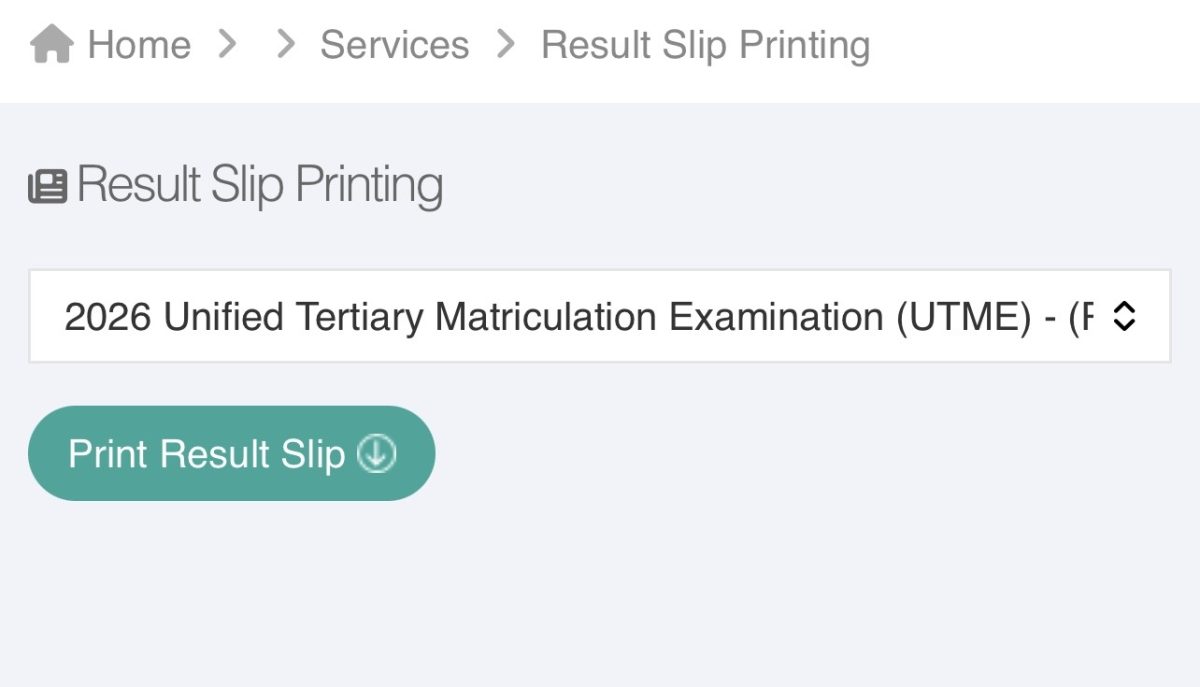
Candidates can check their UTME result by following these steps:
- Access the official JAMB candidate service platform.
- Log into your candidate profile.
- Select the result-checking service.
- Follow the instructions displayed.
- View your UTME result details.
Candidates should ensure that their registration information matches the details used during examination registration.
You can check it directly by Clicking Here
How to Print JAMB Result Slip 2026
The JAMB Result Slip is an official document containing a candidate’s examination details and scores. It is often required during admission processes, institutional screening, and other academic documentation procedures.
To print your JAMB result slip:
- Log in to your JAMB e-Facility account.
- Select the Print Result Slip option.
- Follow the payment instructions where applicable.
- Confirm your examination year and registration details.
- Download and print the result slip.
The printed result slip contains important information such as:
- Candidate’s name
- Passport photograph
- UTME scores
- Subject performance
- Examination details
Candidates should keep both digital and printed copies for future admission requirements.
Difference Between JAMB Result and JAMB Result Slip
Although they are related, the JAMB result and result slip serve different purposes.
| JAMB Result | JAMB Result Slip |
|---|---|
| Shows the candidate’s examination score | Provides an official printed document of the result |
| Used mainly for checking performance | Often required for admission documentation |
| Can be viewed electronically | Can be downloaded and printed |
Candidates may check their results online, but institutions may request the official result slip during screening.
JAMB Result Slip Printing Requirements 2026
Before printing your result slip, ensure you have:
| Requirement | Purpose |
|---|---|
| JAMB profile account | Required to access candidate services |
| Email address and password | Needed for portal login |
| JAMB registration number | Used to identify examination records |
| Internet-enabled device | Required for online access |
| Payment method (where applicable) | Needed for paid services (Remita) |
Candidates should keep their login details secure and avoid sharing passwords with cybercafés or unknown individuals.
How to Verify O’Level Details on JAMB Portal 2026
O’Level verification is an important part of the admission process because institutions rely on candidates’ uploaded academic qualifications when processing admission.
Candidates may need to verify that their:
- WAEC details
- NECO details
- NABTEB details
- Other recognised O’Level qualifications
are correctly uploaded on their JAMB profile.
JAMB requires candidates with awaiting results to upload their results once they become available. Institutions access uploaded results through approved JAMB systems during admission processing.
Steps to Check O’Level Result Upload Status
To confirm your O’Level details:
- Log into your JAMB profile.
- Access your candidate dashboard.
- Check the section relating to qualification or uploaded results.
- Confirm that your O’Level details are correctly displayed.
- Contact JAMB or your institution if corrections are required.
Candidates should ensure that names, examination numbers, subjects, and grades match their official certificates.
Why O’Level Verification Is Important for Admission
Correct O’Level information is important because:
- Institutions use it to confirm eligibility.
- Incorrect details may delay admission processing.
- Missing results may affect admission consideration.
- Candidates with wrong uploads may need corrections before admission completion.
Candidates should complete their result upload and verification early to avoid delays.
Common JAMB Result and Slip Printing Problems
JAMB Result Not Showing
Some candidates may experience delays when trying to view results.
Possible reasons include:
- Result processing is ongoing
- Incorrect login details
- Network problems
- Temporary portal challenges
Solutions:
- Confirm your registration details.
- Try again later.
- Use a stable internet connection.
- Contact JAMB support if the problem continues.
Unable to Print JAMB Result Slip
Common causes include:
- Incorrect account details
- Payment issues
- Browser problems
- Temporary service interruption
Solutions:
- Confirm your login information.
- Retry the process using another browser.
- Check your payment status.
- Ensure your profile information is correct.
O’Level Result Not Showing on JAMB Portal
If your O’Level result is missing:
- Confirm whether it was uploaded successfully.
- Check that the examination details are correct.
- Visit an approved JAMB support channel or CBT centre for assistance where necessary.
Can I Print JAMB Result Slip With My Phone?
Yes. Candidates can access JAMB services using smartphones.
For better results:
- Use an updated browser.
- Ensure stable internet access.
- Save the document as a PDF before printing if a physical printer is not immediately available.
The JAMB e-Facility platform provides online access to candidate services, including results and admission-related services. (eFacility)
Is JAMB Result Slip Required for Admission?
Yes, many tertiary institutions request the official JAMB result slip during admission screening and documentation.
Candidates should keep copies of:
- JAMB result slip
- Admission letter
- O’Level certificate or statement of result
- Other required admission documents
Frequently Asked Questions About JAMB Result Verification and Slip Printing 2026
How do I check my JAMB result in 2026?
Candidates can check their result by logging into their JAMB candidate profile and accessing the available result-checking service.
How much does JAMB result slip printing cost?
The cost of printing the official result slip depends on JAMB’s current service charges and payment structure for the admission year. Candidates should confirm the latest fee before making payment.
Can I print my JAMB result slip without a JAMB profile?
No. Candidates need access to their JAMB profile to use official result slip printing services.
How do I verify my O’Level result on JAMB?
Log into your JAMB profile and check your uploaded qualification details. Ensure your examination information and grades are correctly displayed.
Can I correct mistakes in my JAMB O’Level upload?
Candidates who notice errors should follow JAMB’s approved correction procedures or seek assistance through recognised JAMB support channels.
Important Tips for JAMB Candidates
- Always use official JAMB platforms.
- Confirm your details before submitting information.
- Keep your email and password secure.
- Avoid agents promising fake result upgrades or admission assistance.
- Print and store important documents safely.
- Complete O’Level uploads before admission deadlines.
The JAMB Result Verification and Slip Printing 2026 process is an important step for every UTME candidate preparing for tertiary admission. By checking results early, printing official documents, and confirming O’Level details, candidates can avoid unnecessary admission delays and ensure their records are ready for institutional processing.
Candidates should always confirm the latest updates from JAMB before completing any examination or admission-related activity.
Be the first to comment