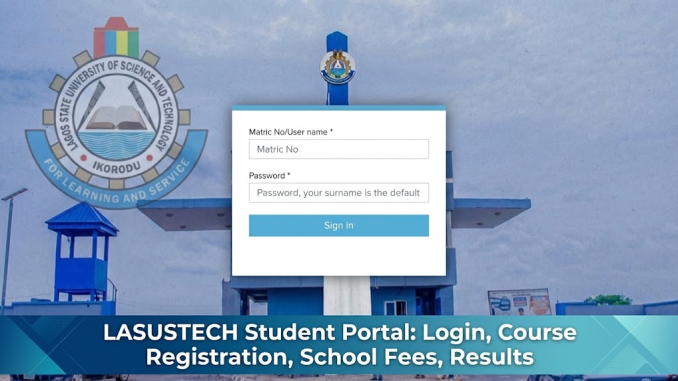
The LASUSTECH Student Portal is the official online platform for students of the Lagos State University of Science and Technology (LASUSTECH) to access academic and student services. Students can use the portal for activities such as login, course registration, checking results, managing their student profile, and accessing payment-related services when available.
You can also check out MLSCN Portal: Login, Registration, License Renewal, and How to Make Payment (Remita) Before moving to the main body.
The university currently links its undergraduate student portal through the official LASUSTECH website.
Official LASUSTECH Student Portal:
https://students.lasustech.edu.ng/
Direct Student Login:
https://students.lasustech.edu.ng/Me/
What Is the LASUSTECH Student Portal?

The LASUSTECH Student Portal is the university’s online student management system.
It is mainly for registered undergraduate students who need to complete academic activities without visiting different offices for every task.
Depending on the services currently enabled on your account, the portal can be used for:
- Student login
- Course registration
- Academic records
- Result checking
- Student profile management
- Payment-related services
- Registration information
LASUSTECH’s official website lists the platform as its Undergraduate Portal and Student Portal.
How Do I Login to the LASUSTECH Student Portal?
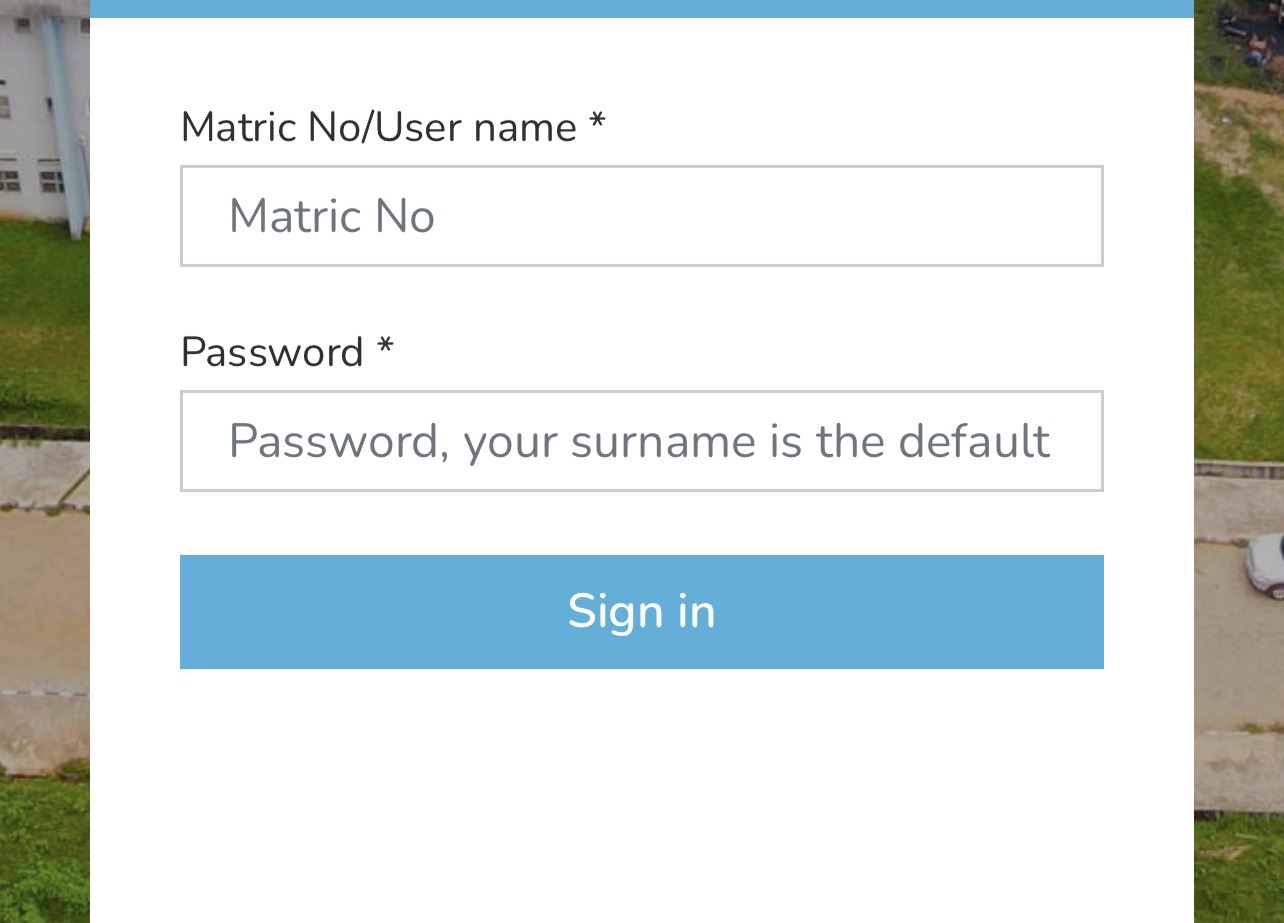
LASUSTECH students can login using their matriculation number and portal password.
Follow these steps:
- Visit https://students.lasustech.edu.ng/Me/
- Enter your Matric Number in the username field.
- Enter your password.
- Check that the information is correct.
- Click the login button.
- Wait for your student dashboard to open.
The current LASUSTECH student login page states that your username is your Matric Number.
Students should keep their login credentials private, especially when using cybercafés or shared computers.
What Is the Default LASUSTECH Student Portal Password?
For students using the default login details, LASUSTECH currently states that the default password is your surname written in lowercase.
For example, if your surname is:
ADEBAYO
Your default password would normally be:
adebayo
Your username remains your Matric Number.
If you have already changed your password, use the new password rather than your surname.
Students should change a default password where the portal provides the option. A personal password is safer than continuing to use an easily guessed surname.
Why Is My LASUSTECH Student Portal Login Not Working?
If you cannot login, first check your matric number and password carefully.
Common problems include:
- Wrong matric number
- Incorrect password
- Entering your surname with capital letters when using the default password
- Internet connection problems
- Temporary portal downtime
- Account activation problems
Try typing your matric number manually instead of copying it from another document.
If you are using the default password, enter your surname in lowercase exactly as it appears in the university’s records.
If you have previously changed the password, your surname may no longer work.
What Should I Do If I Forgot My LASUSTECH Portal Password?
If you have forgotten your LASUSTECH student portal password, check the portal for an available password recovery option.
LASUSTECH advises students who have forgotten portal passwords to use the portal’s recovery process where enabled or contact the university’s official ICT/support channel.
Before requesting help, confirm that:
- Your matric number is correct.
- Caps Lock is turned off.
- You are using your current password.
- You are on the correct student portal.
Do not pay an unofficial person to reset your portal account.
You should also avoid sending your password, PIN, or other account credentials to strangers through WhatsApp, Telegram, Facebook, or other platforms.
How Do I Register Courses on the LASUSTECH Student Portal?
LASUSTECH course registration is normally completed through the student portal during the approved registration period. The university’s official guidance confirms that course registration is usually available inside the portal when registration is open.
Students can generally follow these steps:
- Login to the LASUSTECH Student Portal.
- Open the Course Registration section.
- Select the correct academic session and semester if requested.
- Review the courses available for your programme and level.
- Select the required courses.
- Confirm the total registered units.
- Submit the registration.
- Print or save your course registration form where available.
Do not register random courses simply because they appear on your dashboard.
Your registered courses should follow the requirements provided by your department.
What Should I Check Before Registering LASUSTECH Courses?
Before submitting your course registration, confirm:
- Your academic session
- Semester
- Current level
- Compulsory courses
- Elective courses
- Course codes
- Credit units
If you have a carryover course, confirm with your department how it should be added to your registration.
Students should also check whether there is an approved add/drop period before making changes after registration. LASUSTECH notes that add/drop arrangements depend on university rules and the approved academic timetable.
How Do I Pay LASUSTECH School Fees Through the Portal?
School fee payment instructions are normally provided through the university’s official portal or approved payment system.
To start:
- Login to your LASUSTECH student account.
- Check the payment or fees section.
- Select the appropriate academic session.
- Confirm the amount displayed.
- Generate the required payment information where applicable.
- Use the payment method provided by the university.
- Complete the transaction.
- Return to your dashboard and confirm that the payment has been recorded.
- Save or print your receipt.
LASUSTECH advises students to confirm current fees and payment instructions through official university channels because fees can change.
Do not transfer school fees to a personal bank account simply because someone claims to be helping students process payments.
How Do I Confirm My LASUSTECH School Fees Payment?
After making payment, login again and check whether the transaction has been updated on your student account.
Keep:
- Payment receipt
- Transaction reference
- Payment confirmation
- Portal-generated receipt where available
If you have been debited but your payment is not reflected immediately, avoid paying a second time without checking the first transaction.
Give the system reasonable time to update and use the official university support channel if the payment remains missing.
How Do I Check LASUSTECH Results on the Student Portal?
Students can check approved results through their student account when the university makes them available.
The basic process is:
- Visit the LASUSTECH Student Portal.
- Login with your matric number and password.
- Look for Results, Academic Record, or the relevant academic section.
- Select the session and semester where required.
- View your available results.
LASUSTECH states that results are generally published on the student portal after they have been approved.
If a result is missing, it does not automatically mean you failed the course.
The result may not yet have been uploaded or approved. Contact your department or examinations office if an expected result remains unavailable.
Can New Students Use the LASUSTECH Student Portal?
Yes, but newly admitted students may first need to complete the required admission and registration processes before receiving full student portal access.
Your Matric Number is important because it serves as the username on the current student login page.
If you are newly admitted and do not yet have a matric number, you may still need to use the admission portal rather than the undergraduate student portal.
The official LASUSTECH admission platform is:
https://admission.lasustech.edu.ng/
The admission portal and student portal serve different purposes. LASUSTECH lists them separately on its official website.
What Is the Difference Between the LASUSTECH Student Portal and Admission Portal?
The Student Portal is mainly for registered students who already have student records and matriculation details.
The Admission Portal is mainly for admission-related activities.
LASUSTECH provides separate links for both platforms on its official website.
Use:
Student Portal:
https://students.lasustech.edu.ng/
Admission Portal:
https://admission.lasustech.edu.ng/
Do not keep attempting to login to the undergraduate portal using your JAMB registration number if you have not yet completed the process required to become a registered student.
How Do Applicants Login to the LASUSTECH Admission Portal?
Applicants who are still completing admission-related activities should use the admission portal.
The current LASUSTECH admission login page requests:
- JAMB Registration Number
- Surname
The portal currently uses the applicant’s surname as the password for this login process.
This should not be confused with the undergraduate student portal, where the username is the student’s Matric Number.
How Do I Get My LASUSTECH Matric Number?
Matric numbers are normally issued after admission and the required student registration processes have been completed.
If you have completed registration but have not received your matric number, contact the appropriate university unit.
Do not invent a matric number or use another student’s details to access the portal.
Once your matric number has been issued, it becomes an important identification detail for your student portal account.
Can I Update My Personal Information on the LASUSTECH Portal?
Some student information may be editable from the portal dashboard, depending on the university’s current settings.
You may find sections for information such as:
- Phone number
- Email address
- Personal profile
- Contact details
If an important field is locked, do not create another account to correct it.
LASUSTECH advises students to contact the relevant support unit where portal records cannot be changed directly.
For sensitive changes such as corrections to your name or other official records, supporting documents may be required.
What Is the LASUSTECH E-Learning Portal?
LASUSTECH also provides a separate learning management platform for online academic activities.
The official university website currently lists LMS LASUSTECH among its student services.
The e-learning portal should not be confused with the main undergraduate student portal.
Students should use the platform specified by their lecturer or department for online learning activities.
Can I Use the LASUSTECH Student Portal on My Phone?
Yes. Students can access the portal through a web browser on a smartphone, tablet, or computer where the website loads correctly.
For better access:
- Use a stable internet connection.
- Use an updated browser.
- Close unnecessary browser tabs.
- Enter your matric number carefully.
- Avoid using public devices for sensitive transactions.
If the portal does not display properly on your phone, try another browser or switch to a computer.
Why Is the LASUSTECH Student Portal Not Opening?
Portal downtime can happen because of:
- Heavy student traffic
- Internet problems
- Server maintenance
- Browser issues
- Temporary technical problems
If the website is not opening:
- Confirm your internet connection.
- Refresh the page.
- Try another browser.
- Clear your browser cache.
- Switch between mobile data and Wi-Fi.
- Try again later.
The university notes that portal performance can sometimes be affected by traffic or maintenance.
Do not assume the university has changed its student portal simply because the page does not open for a few minutes.
What Should I Do If My LASUSTECH Portal Shows the Wrong Details?
If your dashboard shows incorrect information, first confirm that you logged into your own account.
Check details such as:
- Full name
- Matric number
- Programme
- Department
- Level
If the information is genuinely incorrect, report it through the appropriate university office or ICT support channel.
Do not attempt to change official academic information using unofficial methods.
For name corrections and similar record changes, the Registry or another authorised university unit may need to verify your documents.
How Do I Print My LASUSTECH Course Registration Form?
Where the print option is available:
- Login to your student account.
- Open your completed course registration.
- Review the registered courses.
- Select Print or the available download option.
- Save a PDF copy.
- Print it if your department requires a physical copy.
Always check the registration form before leaving the page.
Confirm that all expected courses appear and that the session and semester are correct.
Can I Check My LASUSTECH CGPA Online?
LASUSTECH provides a CGPA Calculator as one of the student resources listed on its official website.
Students can also calculate their GPA or CGPA using their grades and course credit units.
However, a personal calculation should not replace the official academic record issued by the university.
If there is a difference between your calculation and the result displayed by the school, check the courses and credit units before reporting the issue.
How Do I Keep My LASUSTECH Student Portal Account Safe?
Your portal contains academic and personal information, so your login details should be protected.
Students should:
- Change default passwords where possible.
- Use a password others cannot easily guess.
- Never share passwords with classmates.
- Avoid sending passwords to cybercafé operators.
- Logout after using a shared computer.
- Check the portal address before logging in.
- Keep payment receipts securely.
- Avoid unofficial websites claiming to provide portal access.
Be particularly careful when someone asks for your matric number and password while claiming they can help you check results or register courses.
What Are the Official LASUSTECH Portal Links Students Should Know?
Students should use the appropriate portal for the service they need.
LASUSTECH Student Portal:
https://students.lasustech.edu.ng/
Direct Student Login:
https://students.lasustech.edu.ng/Me/
LASUSTECH Admission Portal:
https://admission.lasustech.edu.ng/
The university’s official website currently identifies students.lasustech.edu.ng as its Undergraduate Student Portal and provides the admission platform separately.
For the student portal login, remember the important details: your Matric Number is your username, while the default password currently stated by LASUSTECH is your surname in lowercase.
If you cannot login after checking these details, use the official ICT/support channel rather than giving your account information to an unofficial third party.
Be the first to comment