The MLSCN Portal is the online platform provided by the Medical Laboratory Science Council of Nigeria (MLSCN)for practitioners and other approved users to access services such as registration, license management, renewals, payments, and other professional activities.
Medical Laboratory Scientists in Nigeria use the portal to manage their professional records, renew practicing licenses, generate payment bills, and complete council-related services online.
You can check our recent post about the (2026) Nigerian Army SSC Recruitment: Portal, Login, Application Form, Requirements, and Deadline which many applicants similar to you are searching for.
Now let’s proceed.
What is the MLSCN Portal?
The Medical Laboratory Science Council of Nigeria (MLSCN) portal is an online system designed to make professional services easier for registered practitioners, institutions, laboratories, and other stakeholders.
Through the portal, users can access services such as:
- Practitioner registration
- License renewal
- License management
- Payment processing
- Document management
- Continuing Professional Development (CPD) services
The portal reduces the need for applicants and professionals to complete every council process physically.
What is the Official MLSCN Portal Login?
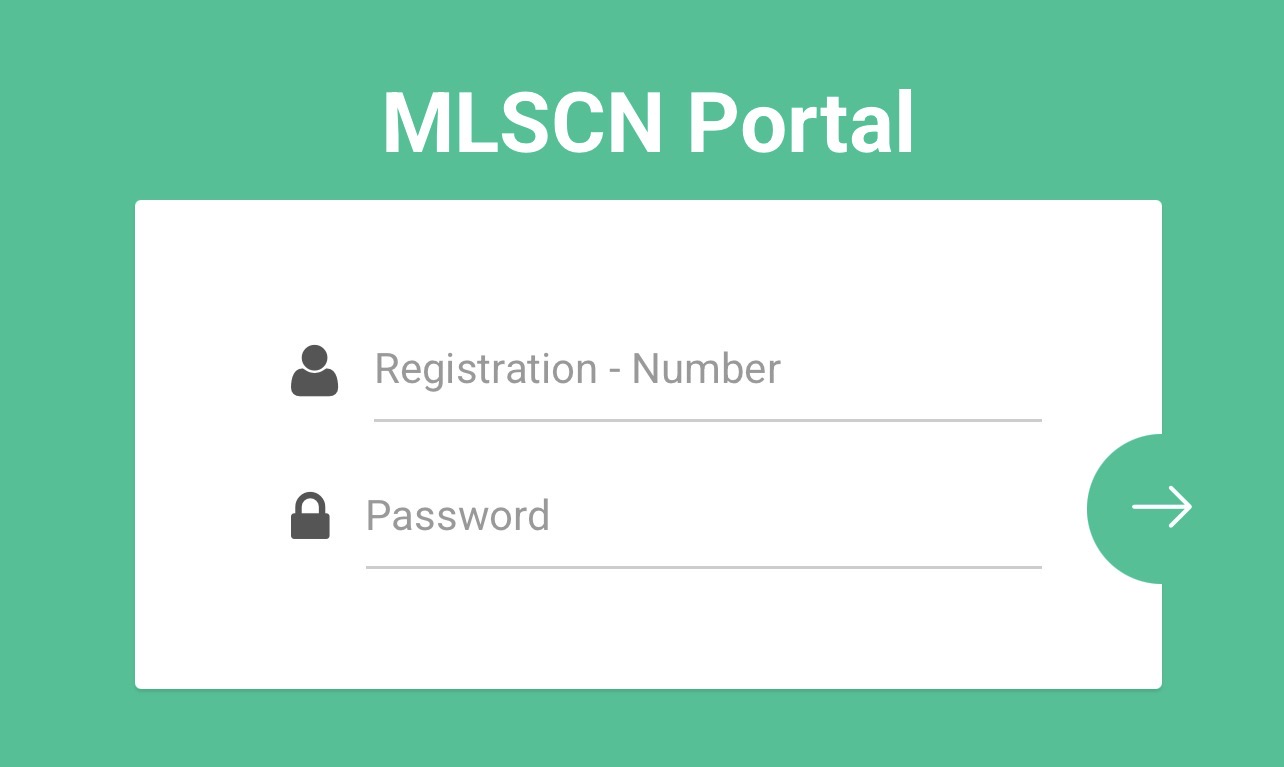
Registered MLSCN users can access their accounts through the official portal.
MLSCN Portal Login: https://portal.mlscn.gov.ng/login
To login, users need the details created during registration. portal.mlscn.gov.ng
Applicants should avoid unofficial websites requesting personal information or payment outside the approved MLSCN platforms.
How to Login to the MLSCN Portal
Follow these steps to access your MLSCN account:
Visit the MLSCN login page
Open the official MLSCN portal login page.
Enter your login details
Provide the required information, such as:
- Registered email address or username
- Password
Ensure your details are correct before selecting the login option.
Access your dashboard
After successful login, you can access available services depending on your account type.
These services may include:
- License renewal
- Payment options
- Practitioner information
- Account updates
How to Register on the MLSCN Portal
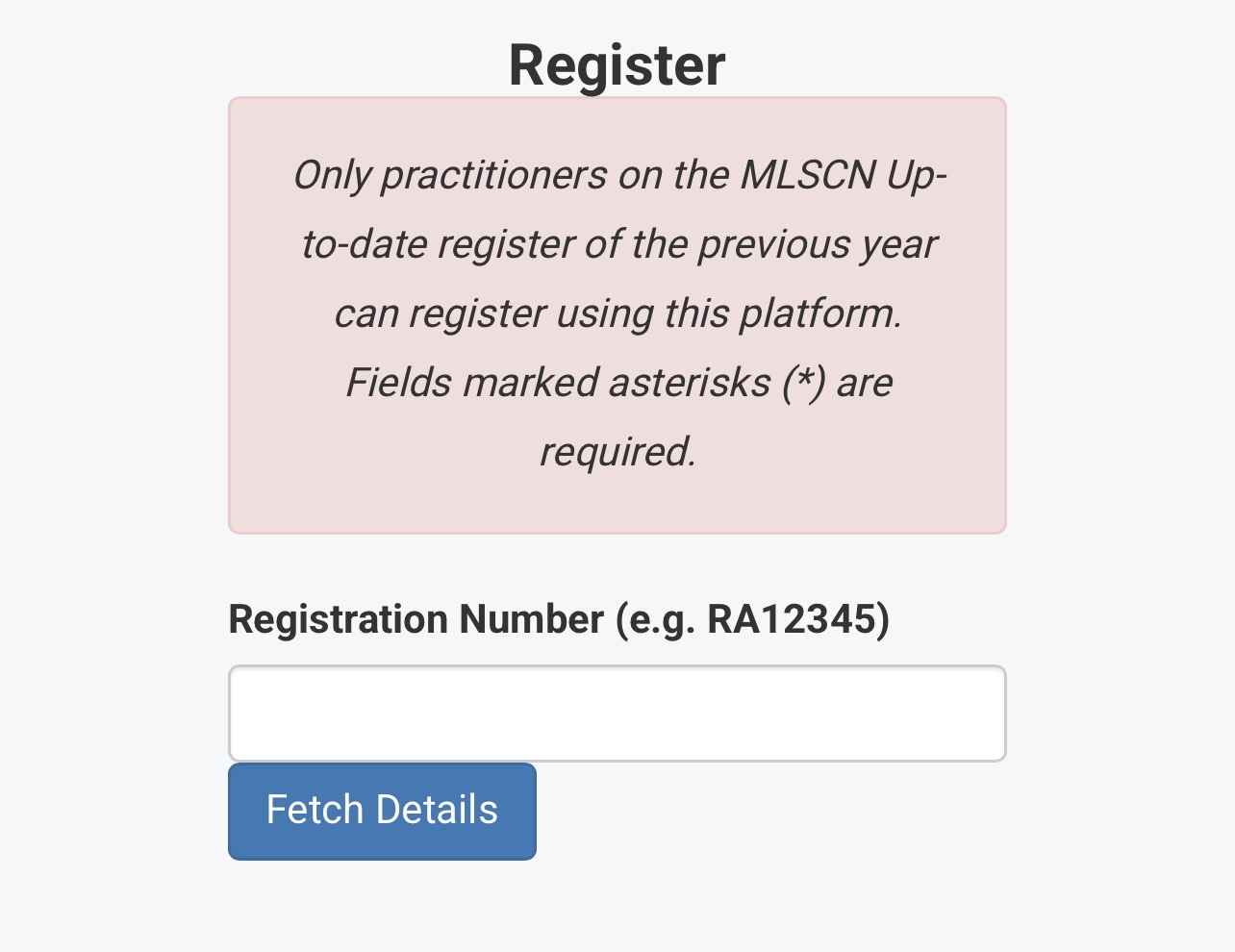
New users who do not have an MLSCN account need to complete the registration process before accessing portal services.
Follow these steps:
Visit the registration section
Open the MLSCN portal and select the option for new practitioner registration.
Click Here to access the registration page directly.
Provide your details
Enter the required information, which may include:
- Personal information
- Professional details
- MLSCN registration information
- Contact details
The system may verify eligibility using existing council records.
Create your account
Create login details that you can remember and keep them secure.
After completing registration, you can use your account details to login to the portal.
How to Renew MLSCN License Online
Medical Laboratory Scientists can renew their practicing licenses through the MLSCN online platform.
The general renewal process involves:
Login to your MLSCN account
Use your registered login details to access your dashboard.
Select license renewal
Choose the license renewal option available on your account.
Generate payment details
The system will provide payment information for the renewal process.
Make payment
Complete payment using the available payment options.
Confirm renewal status
After successful payment and processing, check your account for renewal confirmation or updated license information.
The available services on MLSCN platforms include practitioner licensure management and payment processing.
How to Make MLSCN Payment Through Remita
MLSCN payments can be completed through approved online payment channels, including Remita where applicable.
Follow these steps:
Login to the MLSCN portal
Access your account and select the service you want to pay for.
Generate a payment invoice or bill
Select the required service, such as:
- Annual license renewal
- Registration fees
- Other council services
Generate the payment details provided by the system.
Choose Remita payment option
Proceed to the payment page and select Remita where available.
Complete payment
Provide the required payment details and complete the transaction.
After payment, keep your receipt or payment confirmation for future reference.
The MLSCN website provides access to payment services for council-related bills.
How to Check MLSCN Payment Status
After making payment, users should confirm that the transaction has been successfully recorded.
To check payment status:
- Login to your MLSCN account
- Open your payment or transaction section
- Confirm the payment status
- Continue with the required service if payment is successful
If payment is completed but not reflected, wait for processing and contact MLSCN support if the issue continues.
What If I Forgot My MLSCN Portal Password?
Users who cannot remember their password can reset it through the portal login page.
Steps:
- Open the MLSCN login page
- Select Forgot Password
- Enter the required account information
- Follow the password reset instructions
Avoid sharing your password or login details with another person.
Why Can’t I Login to My MLSCN Account?
Some common reasons for MLSCN login problems include:
- Incorrect email or password
- Account registration issues
- Internet connection problems
- Temporary portal maintenance
- Using the wrong MLSCN platform
Before contacting support, confirm that you are using the correct login details.
Who Can Use the MLSCN Portal?
The MLSCN portal is mainly designed for:
- Registered Medical Laboratory Scientists
- Medical Laboratory Science practitioners
- Training institutions
- Registered laboratories
- Approved professional users
Different users may have access to different services based on their account type. (MLSCN Hub)
What Services Are Available on MLSCN Hub?
The MLSCN Hub provides several digital services for the medical laboratory profession.
Available services may include:
- Practitioner licensure services
- Institution accreditation services
- Laboratory registration
- CPD programmes
- Online payments
Common MLSCN Portal Problems and Solutions
Payment not showing after Remita transaction
If payment has been completed but is not displayed:
- Confirm that the transaction was successful
- Keep your Remita receipt
- Check again after some time
- Contact MLSCN support if the issue remains
Unable to create an account
Check that:
- Your information is correct
- Your MLSCN registration details are valid
- You are using the correct registration category
Portal not opening
Try:
- Checking your internet connection
- Using another browser
- Clearing browser cache
- Trying again later
Tips for Using the MLSCN Portal Safely
To protect your professional account:
- Use only official MLSCN platforms
- Keep your login details private
- Avoid sharing payment information with strangers
- Save payment receipts
- Confirm portal addresses before entering personal information
MLSCN Portal Login and Renewal Summary
The MLSCN Portal allows Medical Laboratory Science professionals in Nigeria to complete important council services online, including registration, license renewal, and payments.
To avoid problems:
- Register with accurate information
- Keep your login details safe
- Use approved payment channels
- Confirm transactions after payment
- Follow MLSCN instructions for each service
Using the correct portal and completing each step carefully makes it easier to manage your MLSCN professional records online.

2 Trackbacks / Pingbacks