Updated: September 2026
By: AllSchoolDocs Editorial Team
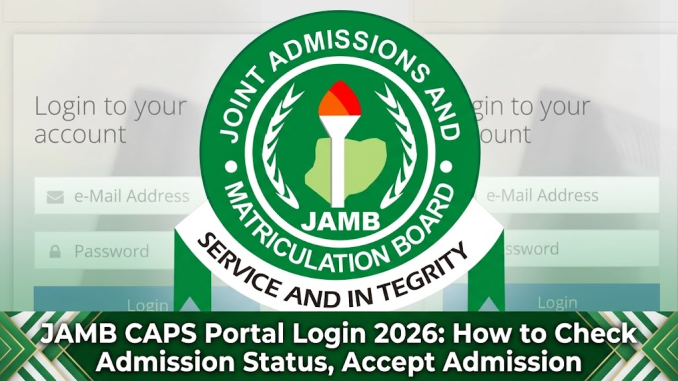
The JAMB CAPS Portal is the official platform where candidates who participated in the 2026 UTME or Direct Entry (DE) admission process can check their admission status, accept or reject admission offers, and manage admission-related activities through the JAMB e-Facility portal. It is mainly used by prospective students seeking admission into Nigerian universities, polytechnics, colleges of education, and other tertiary institutions.
Candidates searching for JAMB CAPS Portal Login 2026 usually want to know how to access their account, check whether they have been admitted, understand CAPS admission messages, and complete the acceptance process after receiving an admission offer.
This guide explains everything you need to know about logging into JAMB CAPS, checking admission status, accepting admission, and solving common portal issues.
What Is JAMB CAPS?

JAMB CAPS (Central Admissions Processing System) is the admission management system created by the Joint Admissions and Matriculation Board (JAMB) to automate the admission process into Nigerian tertiary institutions.
The system allows candidates to:
- Check admission status
- Accept or reject admission offers
- Monitor admission progress
- View institution and programme details
- Access admission-related services through JAMB e-Facility
CAPS was introduced to improve transparency in the admission process and allow candidates to actively participate in decisions concerning their admission offers.
JAMB CAPS Portal Login 2026
Candidates can access JAMB CAPS through the official JAMB platforms.
To log in successfully, you need:
- Your registered email address
- Your JAMB profile password
- Internet-enabled device such as a phone, tablet, or computer
The official JAMB e-Facility portal provides access to candidate services, including admission and CAPS-related activities.
How to Login to JAMB CAPS Portal 2026
Follow these steps to access your CAPS account:
- Visit the official JAMB e-Facility portal.
- Click on the login option.
- Enter your registered email address and password.
- Access your candidate dashboard.
- Select the admission-related option to continue to CAPS services.
If you cannot access your account, use the password recovery option available on the portal or follow JAMB’s account recovery instructions.
Click Here to Login to Jamb eFacility
How to Check JAMB Admission Status on CAPS 2026
Candidates can check their admission status through the CAPS platform after institutions begin releasing admission decisions.
To check your admission status:
- Log in to your JAMB e-Facility account.
- Select Check Admission Status.
- Choose your examination year (2026).
- Click Access My CAPS.
- Select the admission status option to view your result.
Your CAPS page may display different messages depending on the stage of your admission processing.
Meaning of JAMB CAPS Admission Status Messages
Understanding the messages displayed on CAPS helps you as a candidates to know what action to take during the admission process. Below are some detailed explanations.
| CAPS Status | Meaning |
|---|---|
| Congratulations, You Have Been Offered Admission | You have received an admission offer and can proceed to accept it. |
| Admission in Progress | Your admission is still being processed by the institution and JAMB. |
| Recommended | Your institution has recommended you for admission, but final processing may still be ongoing. |
| Not Admitted | No admission offer has been released for you at that time. |
Candidates should continue checking their CAPS dashboard because admission lists are usually released in batches.
How to Accept Admission on JAMB CAPS 2026
When JAMB offers you admission, you must accept it through CAPS before proceeding with other admission steps.
To accept admission:
- Login to your JAMB e-Facility account.
- Open CAPS.
- Select Admission Status.
- Review your admission details carefully.
- Click Accept Admission.
- Confirm your decision.
After accepting admission on CAPS, candidates can proceed with other requirements, including printing their admission letter when available.
JAMB advises candidates that valid admissions must go through the approved JAMB admission process and be reflected on the candidate’s e-Facility profile.
How to Reject Admission on JAMB CAPS
Candidates who do not want an offered admission can reject it through CAPS.
The process involves:
- Logging into JAMB CAPS.
- Opening the admission status page.
- Selecting Reject Admission.
- Confirming the decision.
Candidates should carefully consider this option because rejecting an admission offer may affect their admission opportunities for that academic session.
How to Access JAMB e-Facility Portal
The JAMB e-Facility portal is the main online platform where candidates manage their JAMB activities.
Services available may include:
- Candidate profile management
- UTME and Direct Entry services
- Admission services
- Result-related services
- Online transactions
- Other candidate support services
The platform allows candidates to access their JAMB information securely using their account details.
JAMB CAPS Login Requirements 2026
Before attempting to log in, ensure you have:
| Requirement | Purpose |
|---|---|
| Registered email address | Used to access your JAMB profile |
| JAMB password | Required for account authentication |
| Internet connection | Needed to access the online portal |
| Compatible browser | Helps prevent login errors |
Candidates should avoid sharing their login details with strangers to prevent unauthorised access to their accounts.
Common JAMB CAPS Portal Problems and Solutions
Unable to Login to JAMB CAPS
Possible causes include:
- Wrong email or password
- Forgotten password
- Network issues
- Temporary portal maintenance
Solution:
- Confirm your login details.
- Use the password reset option.
- Try again later if the portal is experiencing high traffic.
CAPS Showing “Not Admitted”
Seeing “Not Admitted” does not always mean you will not gain admission.
Possible reasons include:
- Your institution has not completed processing.
- Admission lists are being released gradually.
- Your programme has not reached your selection stage.
Continue checking your CAPS dashboard regularly.
CAPS Admission Status Not Updating
Sometimes candidates accept admission but do not immediately see updates.
Possible solutions include:
- Refreshing the admission status page.
- Logging out and trying again later.
- Checking through another browser.
Can I Check JAMB CAPS on My Phone?
Yes. Candidates can access JAMB CAPS using a smartphone browser.
For easier navigation:
- Use Google Chrome or another updated browser.
- Enable desktop mode if some options are not visible.
- Ensure you have a stable internet connection.
JAMB has also provided digital options that allow candidates to access admission-related services electronically.
Do I Need to Accept Admission on JAMB CAPS?
Yes. Candidates offered admission are expected to accept the offer through the approved JAMB admission process.
Accepting admission confirms that you agree to take up the offered programme and institution.
Failure to complete the acceptance process may affect your ability to proceed with admission documentation.
Frequently Asked Questions About JAMB CAPS Portal Login 2026
What is JAMB CAPS used for?
JAMB CAPS is used for managing tertiary institution admissions. Candidates use it to check admission status, accept or reject offers, and monitor their admission process.
How do I login to JAMB CAPS 2026?
To login, access your JAMB e-Facility account using your registered email address and password, then navigate to the CAPS admission section.
How do I know if I have been admitted on JAMB CAPS?
You can know your admission status by logging into CAPS and checking the admission status section. If admitted, the system will display your admission offer.
Can I accept admission without visiting a JAMB office?
Yes. Candidates can accept admission online through their JAMB CAPS account without visiting a JAMB office, provided their account is accessible and the admission offer is available.
What should I do after accepting admission on CAPS?
After accepting admission, candidates should follow instructions from their institution regarding clearance, payment of required fees, registration, and documentation.
Important Tips for JAMB CAPS Candidates
- Always use the official JAMB platforms.
- Do not give your password to cybercafés or unknown individuals.
- Confirm admission details before accepting.
- Check your CAPS dashboard regularly.
- Avoid paying unofficial agents promising guaranteed admission.
The JAMB CAPS Portal Login 2026 remains one of the most important steps for candidates seeking admission into Nigerian tertiary institutions. By regularly checking CAPS, understanding admission messages, and completing acceptance procedures correctly, candidates can avoid common admission mistakes and successfully continue their academic journey.
For the latest updates, candidates should always confirm information through official JAMB channels.

1 Trackback / Pingback