The FUD Portal is the official online platform for students and applicants of Federal University Dutse (FUD) to access academic and admission-related services. The portal allows students to complete activities such as admission processing, student login, course registration, checking results, and accessing other university services online.
FUD operates different portals for different purposes, including the student portal, admission portal, and other online services provided by the university.
What Is the FUD Portal?
The Federal University Dutse (FUD) Portal is an online system designed to make academic and administrative activities easier for students and applicants.
Depending on the type of user, the portal can be used for:
- Admission application
- Student login
- Course registration
- School fees payment
- Checking academic results
- Student profile management
- Printing important documents
Students should use the correct portal based on the service they want to access.
What Is the Official FUD Student Portal?
The official FUD student portal is:
FUD Student Portal:
https://student.fud.edu.ng/
Students use this portal to access their academic dashboard after completing registration and receiving their student login details.
Always confirm that you are using the official FUD website before entering your personal information.
How Do I Login to the FUD Student Portal?
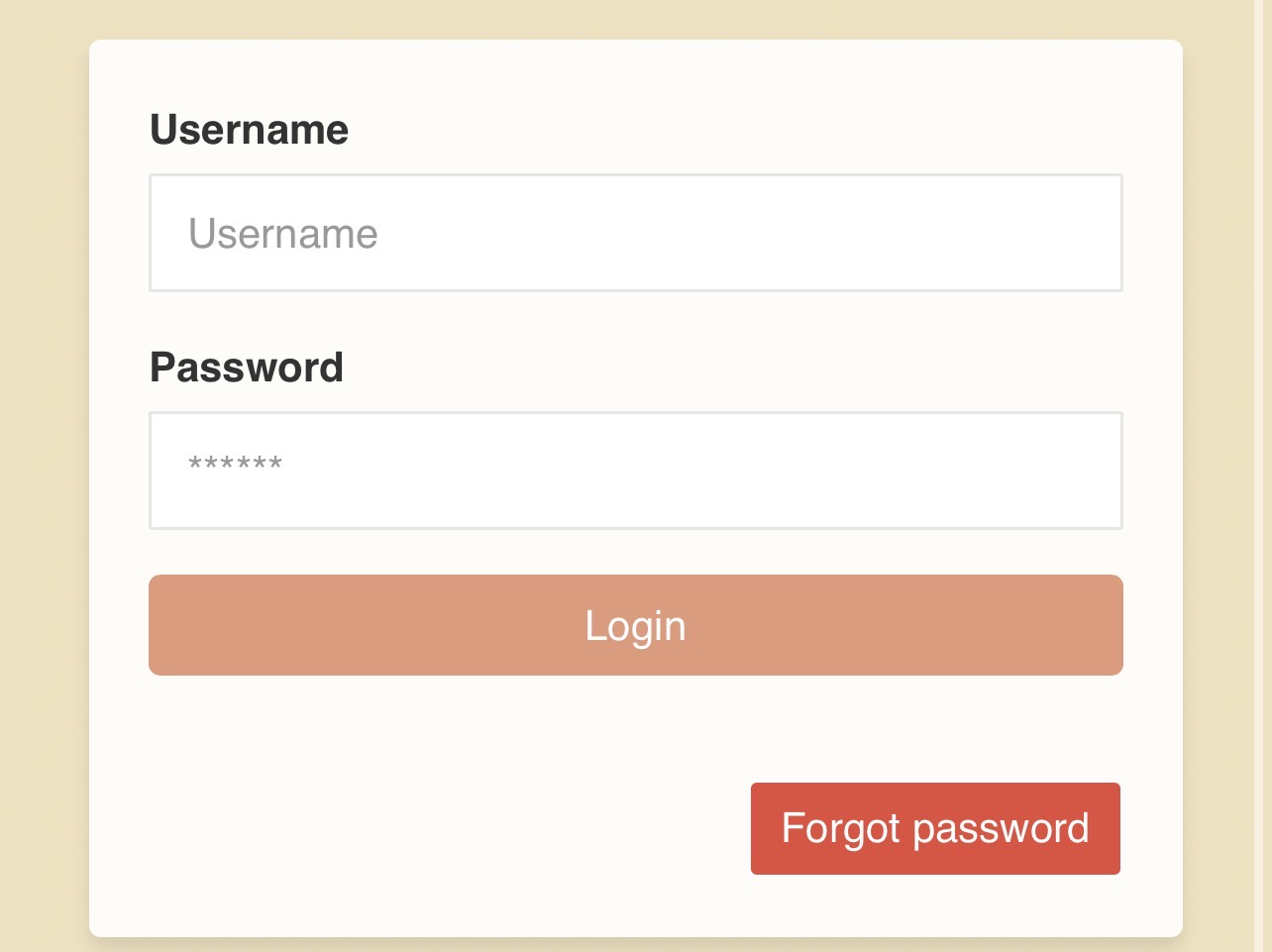
Registered FUD students can login by following these steps:
- Visit the FUD Student Portal.
- Enter your username or registration details.
- Enter your password.
- Click the login button.
- Access your student dashboard.
After successful login, students can access available services based on their account status.
What Is the FUD Admission Portal?
The FUD admission portal is used by prospective students applying for admission into Federal University Dutse.
Applicants can use the admission portal for activities such as:
- Checking admission status
- Completing admission processes
- Paying required acceptance fees
- Printing admission documents
Applicants who are not yet registered students should use the admission portal instead of the student portal.
How Do I Login to the FUD Admission Portal?
To access the FUD admission portal:
- Visit the official FUD admission portal.
- Enter your login details.
- Provide your JAMB registration number or application details where required.
- Enter your password.
- Click login.
Ensure that the details entered match the information used during your application.
How Do I Register Courses on the FUD Portal?
Course registration is completed through the student portal during the approved registration period.
Steps:
- Login to your FUD student account.
- Open the course registration section.
- Select your academic session and semester.
- Choose the required courses.
- Review your course selections.
- Submit the registration.
- Print or save your course registration form.
Before submitting, confirm:
- Course codes
- Credit units
- Compulsory courses
- Elective courses
Students should follow their department’s approved course structure.
How Do I Pay FUD School Fees Online?
Students can pay their school fees through the approved university payment platform.
General steps include:
- Login to the FUD student portal.
- Open the payment section.
- Generate your payment invoice where required.
- Follow the available payment instructions.
- Complete the transaction.
- Confirm payment on the portal.
- Print your receipt.
Keep payment receipts for future reference.
Avoid paying school fees into personal accounts or through unofficial agents.
How Do I Check FUD Results Online?
Students can check available results through their student portal.
Steps:
- Login to the FUD student portal.
- Open the results or academic record section.
- Select the required session or semester.
- View your available results.
If a result is missing, it may mean the result has not been uploaded or approved yet.
Students should contact their department or examination office for unresolved issues.
What Is the FUD Portal Username and Password?
The login details depend on the type of portal being accessed.
For students, login details are usually provided after completing registration processes.
Applicants may use admission-related details such as:
- JAMB registration number
- Application number
- Password created during registration
Students should use only their assigned login details.
Do not share your portal password with anyone.
What If I Forgot My FUD Portal Password?
If you forget your password:
- Open the relevant FUD portal login page.
- Select the password recovery option if available.
- Enter the required information.
- Follow the instructions provided.
- Create a new password.
- Login again.
If you cannot reset your password online, contact the university ICT support unit.
Why Can’t I Login to My FUD Portal?
Common reasons for login problems include:
- Wrong username or password
- Incorrect registration details
- Account not activated
- Internet connection problems
- Temporary portal maintenance
Try these solutions:
- Confirm your login details.
- Check your internet connection.
- Clear browser cache.
- Use another browser.
- Try again later.
If the issue continues, contact FUD support.
How Do New Students Activate Their FUD Portal Account?
New students may need to complete registration steps before gaining full access to the student portal.
The process may include:
- Completing admission acceptance
- Paying required fees
- Completing physical or online registration
- Receiving student login details
New students should follow instructions provided by the university during registration.
Can I Access the FUD Portal on My Phone?
Yes. Students can access the FUD portal using a smartphone, tablet, or computer.
For better performance:
- Use an updated browser.
- Maintain a stable internet connection.
- Avoid using public computers for sensitive transactions.
- Logout after completing activities.
What Should I Do If the FUD Portal Is Not Opening?
If the portal is unavailable:
Try the following:
- Check your internet connection.
- Refresh the page.
- Use another browser.
- Clear browser cache.
- Try another device.
- Wait and try again later.
Heavy traffic during registration and result periods can sometimes affect portal performance.
How Do I Contact FUD Support for Portal Issues?
If you experience unresolved portal problems, contact the appropriate FUD support office.
Provide:
- Full name
- Registration number
- Programme
- Description of the issue
- Screenshot of any error message
Never share your password when requesting technical support.
FUD Portal Quick Access
FUD Student Portal:
https://student.fud.edu.ng/
FUD Official Website:
https://fud.edu.ng/
Students and applicants should always use the correct portal for their needs. Applicants should use admission services, while registered students should use the student portal for academic activities such as registration, payments, and results checking.

Be the first to comment